
Since August 31, 2026, two new features have been available to all sites in Search Console: a generative AI report that counts impressions in AI Overviews and AI Mode, and a control to opt out of these features. The report gives no queries, no clicks and no CTR: it tells you that you appear, never what it brings you. The control shuts off the tap without changing anything in your classic rankings, which makes it a bad bet in almost every case.
Contents
Ever since they arrived, everyone has had an opinion about AI Overviews and almost nobody has had figures. Some announce the collapse of organic traffic, others swear nothing has moved. The only thing that could really be verified was that Search Console separated nothing: the impressions produced by the AI box were lost in the Performance report among the classic results.
On August 31, 2026, Google delivered something to settle the question. Two things arrived on the same day, for all sites: a report that finally counts these impressions, and a setting to opt out of the features concerned. They are read together, and the second is only useful if you know how to read the first.
01Two new features on the same day
Google announced the report in June 20261, then rolled it out in waves. On August 31, 2026, the rollout was complete worldwide, at the same time as the opt-out control.2
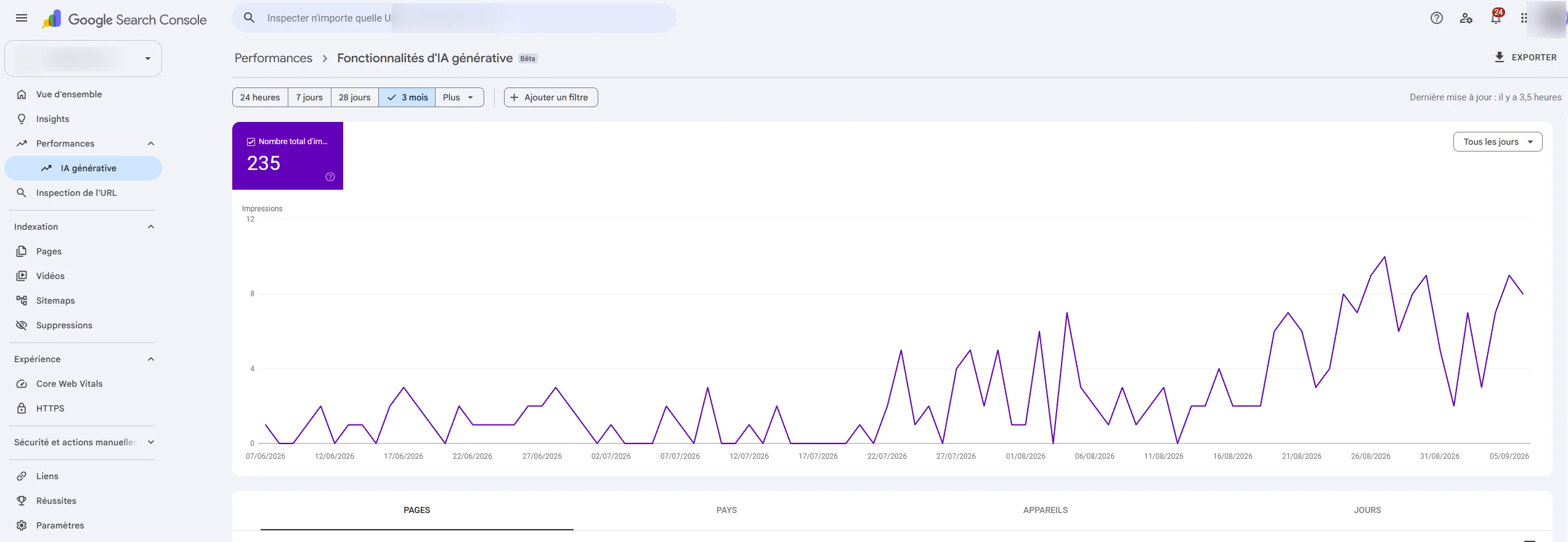
The generative AI report
It sits in Search Console under Performance, next to the Google Search report and the Discover report, still marked as a beta. It counts your pages' impressions in AI Overviews and in AI Mode.3
An impression has a precise meaning there: a user saw links to your site in a generative AI feature of Google Search.3 Being used to build the answer without being cited does not count, and that is already a piece of information in itself.
The opt-out control
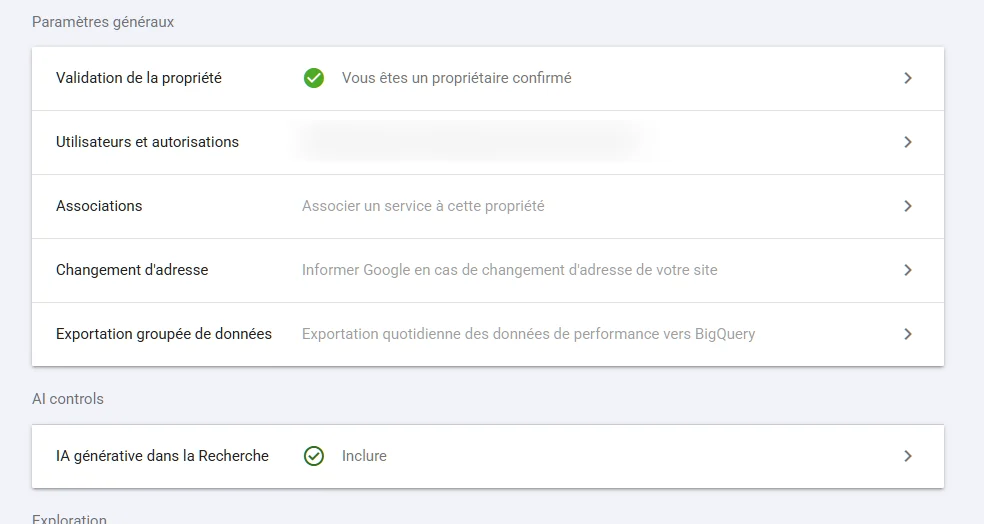
It sits in Settings, in the AI controls section. Two options, the first of which is active by default: include your site's links and content in Search's generative AI features, or exclude them.4
Google is explicit about its scope. The setting only decides your presence in these features, and it is not used as a ranking signal. Nor does it affect model training, which falls under another mechanism, Google-Extended. Allow a few days for the change to take effect.4
Why both together
An exit button without a measuring instrument would have been useless. What publishers want to know is what they lose by staying. So Google delivers the door and the counter at the same time. The problem shows up immediately: the counter only counts one thing.
02What the report shows, and what it does not
The generative AI report exposes a single metric, impressions, and four ways of breaking it down.
Four dimensions, one metric
Pages, countries, dates and devices. URLs are attributed to their canonical version, as in the classic Performance report, and the usual limits apply, starting with the thousand-row cap. Data from Search Labs experiments is excluded.3
One aggregation detail is worth knowing before comparing two figures: at property level, two URLs from the same site cited in the same answer count as a single impression, whereas at page level each one counts separately.3 The two totals are therefore not meant to match.
| Data | Performance report | Generative AI report |
|---|---|---|
| Impressions | yes | yes |
| Clicks | yes | no |
| CTR | yes | no |
| Average position | yes | no |
| Queries | yes | no |
| Pages, countries, devices, dates | yes | yes |
An AI impression does not mean what you think
Google counts an impression as soon as an element is on the results page that was opened, whether or not it is in the visible part of the screen. For elements that require an action, a carousel or an expandable block, the rule changes: the element generally has to be visible for the impression to be recorded.5
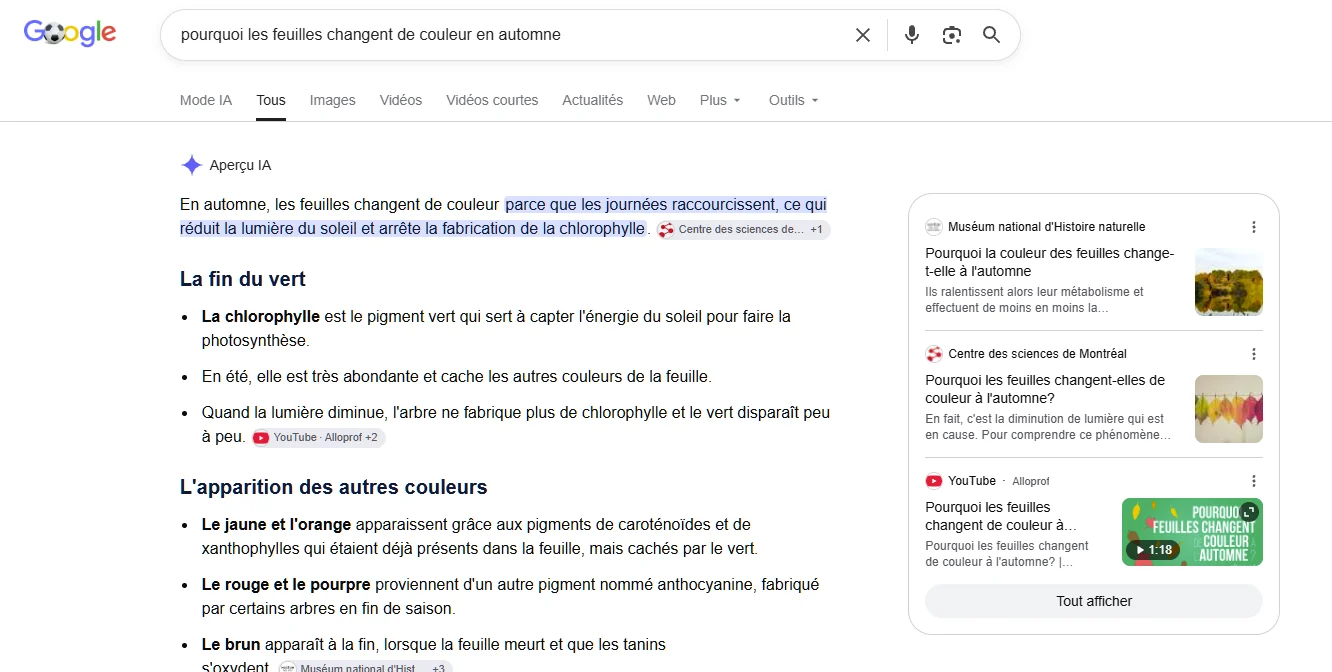
Two identical rows in the report can therefore cover unrelated exposures: a link highlighted under the answer, one citation among ten, or a link that only exists for the counter if someone expanded the list of sources. A rise in AI impressions, on its own, says nothing about what you have gained.
AI Overviews and AI Mode lumped together
The report does not let you tell them apart. That is a problem, because they are two different surfaces: the AI Overview sits above the results of a classic search, while AI Mode is a conversational interface where the user asks one question after another. Click behavior is not the same in each, and you cannot yet know which of the two brings you what.
03Measuring the real effect despite a one-eyed report
The AI report tells you which pages you appear on. The Performance report tells you how many clicks those same pages receive, and on which queries. Cross-referencing the two is the only serious measurement available today.
The method, page by page
Take the pages at the top of the generative AI report, isolate those same URLs in the Performance report, and compare two periods of identical length in the same season. Watch out for a change that happened in between: a redesign in the middle of the window makes the comparison impossible to interpret, for reasons that have nothing to do with AI. A Google update that is rolling out muddies the comparison in the same way. What interests you is the click-through rate of these specific pages, on the queries where your position has not moved, rather than the site's total traffic.
The signal you are looking for is simple to state. AI impressions rising while organic sessions on the same page fall, at a constant position, is the effect of AI Overviews on that page. Any other reading, in particular comparing overall traffic from one month to the next, mixes too many causes to conclude anything.
What the studies say, and what they do not prove
The most cited study on the subject is Seer Interactive's: fifty-three brands, 5.47 million queries tracked and 2.43 billion impressions, from January 2025 to February 2026. It measures a collapse in organic click-through rate on queries where an AI Overview appears, bottoming out at 1.3% in December 2025, then recovering to 2.4% in February 2026.6 A first wave of the same study had measured a 61% drop in organic click-through rate and a 68% drop in paid click-through rate on these queries.7
Two precautions before reusing these figures. The first concerns the sample: Seer works on informational and educational queries, those that most often trigger an AI Overview. Nothing allows the result to be extended to a transactional or local query, where the box appears less and the intent lies elsewhere. The second concerns the recovery: going from 1.3% to 2.4% looks more like stabilization than a return to normal, and two months of data do not make a trend.
What to take away is an order of magnitude and a direction, on a given type of query. Turning it into a coefficient to apply to your site would be a methodological error.
04The opt-out control, and finer settings
What it cuts, exactly
By excluding your site, you stop appearing in Search's generative AI features, AI Overviews and AI Mode included. Your links no longer appear there, and your content is no longer used to ground the AI's answers either.4 You therefore no longer receive any impressions or clicks from these surfaces. To disappear from Search entirely, this setting is not enough: you need noindex.
Why it is almost always a losing move
Since the setting is not a ranking signal, opting out of AI features gains you nothing in the classic results. You give up a source of visibility and get nothing in return elsewhere.
The same study also finds that brands cited in an AI Overview earn 35% more organic clicks than brands that are not cited on the same queries.6 Being cited is therefore better than being absent, even with a degraded click-through rate.
The calculation can still make sense in specific cases: a site whose value lies in the answer itself, a paid documentation base, a publisher whose model relies on page views. For a company that sells a service or a product, a citation in a generated answer remains a way in, and closing it means withdrawing from a place where your competitors will stay.
Finer settings
Between all and nothing, there are Google's long-standing controls: nosnippet, max-snippet and data-nosnippet.8 The last one is the most useful because it works at block level: you mark a specific paragraph so it is never reused, and leave the rest of the page available.
Mind their scope, though. They also act on your classic snippets and featured snippets, and none of them is limited to AI features alone. That is precisely the gap the new control fills. The robots meta tag documentation details the exact syntax of each one.